If a new content download became corrupted, a window will pop up on the video wall saying "the game has crashed".
The fix is not a reboot but a re-sync of the content. A reboot may restore functionality for a while until someone selects an option that contains the corruption then the system will crash again.
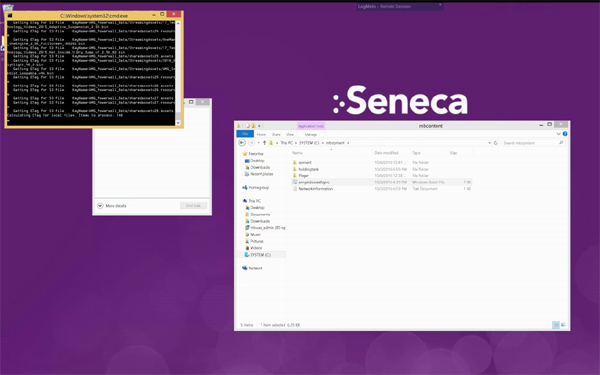
To re-sync the content, exit out of the content to the desktop. Cntl-Alt-Del button in top right menu, Task Manager, right click on AMG_Powerwall, Choose End Task, navigate to C:\mbcontent
Double click "amgvideowallsync.bat"
Use the "blank screen" option in LogMeIn and let the system run until it reboots. System should be restored and function automatically after the reboot.
A running sync will look like this:
Comments